Training is in twelve hours. The plan is written, the bibs are in the bag, and the same question comes back from three different players: when the ball goes to the full-back, who pushes up? You explain it again with your hands, drawing shapes in the air. Two of them nod. One studies the floor.
That gap between what a coach says and what a player pictures is where football coaching software earns its place. Not as a replacement for the session, and not as a badge of being modern, but as a way of turning a spoken instruction into something a player can look at, point to and repeat back.
This guide takes the parts in the order a coach meets them: what a free board gives you, how to build a diagram in four steps, when animation helps and when it clutters, how a diagram becomes a session plan, how to share a board without exposing young players, and where browser tools stop being enough.
Table of Contents
Free and Member Tools Compared
Before choosing anything, a coach needs to know which half of the tool is free. The free TFA Tactics Board (Free Tactics Board) runs in a browser with no download and covers the core job: choosing a formation, positioning players by hand, adding the ball, passing arrows, running arrows, labels, player numbers, team colours, coaching notes, and exporting the finished picture as a PNG. That set handles most session planning on its own.
The table shows where the free core stops and where the paid membership starts.
Feature group | Free board | TFA membership (£9) |
|---|---|---|
Player positioning, ball, pass and run arrows, labels, numbers, team colours, notes | Included | Included |
PNG export | Included | Included |
Formation library | 4-3-3, 4-2-3-1, 3-2-5, 4-4-2, 3-4-3, 5-4-1 | Adds 3-3-2, 2-3-1, 3-2-1, 1-2-1 |
Full-size 11v11 pitch | Included | Included |
9v9, 7v7, 5v5 and training grid pitches | Not included | Included |
Dribbles, curves, shots, freehand, zones, spotlights, tactical lines | Not included | Included |
Defensive half, middle third, attacking half views | Not included | Included |
Multiple phases, animated playback, video export | Not included | Included |
Saved boards, export and import of editable files, interactive sharing and embedding | Not included | Included |
Portrait orientation and complete colour control | Not included | Included |
Two rows decide most coaching situations. The 11v11 full-size pitch is free, so anyone working with an adult or older youth team never meets a paywall for a basic layout. Small-sided formats sit inside membership, which is where junior and academy coaches notice the difference in a hurry.
The member formation list is not an upgrade in quality. It is a different shape of game: 3-3-2, 2-3-1, 3-2-1 and 1-2-1 exist because possession and pressing look different on a seven-a-side pitch, where a back four has nowhere to hide. Membership also brings multiple saved boards and portrait mode, which matters if you plan on a phone between work and training.
Access works the way it should: sign in through the member option, verify the email attached to the paid membership, and the extended tools become available automatically in the board.
Check before you commit money: prices and feature lists change. Confirm the current membership terms on the live site before you rely on any figure quoted in an article, including this one.
One working detail to plan around: boards are stored in the current browser. That is convenient and private, but it means the diagram lives on the device where you built it, so treat the export file as your backup rather than an optional extra.
Build a Free Diagram in Four Steps
A visual reference reduces ambiguity. That is the whole argument, and it holds up. A systematic review of video-based visual feedback reported positive effects on motor learning and found that visual feedback generally outperformed verbal-only feedback, while noting that class size, lesson time, equipment, teacher digital literacy and data protection set the conditions in which that benefit appears. The practical reading for a coach is straightforward: show the picture, and keep a static fallback for anyone who cannot open the file, cannot load it, or who learns better from a printed sheet.
The board itself is one piece of kit among several, and it only earns its place when it shortens the explanation.
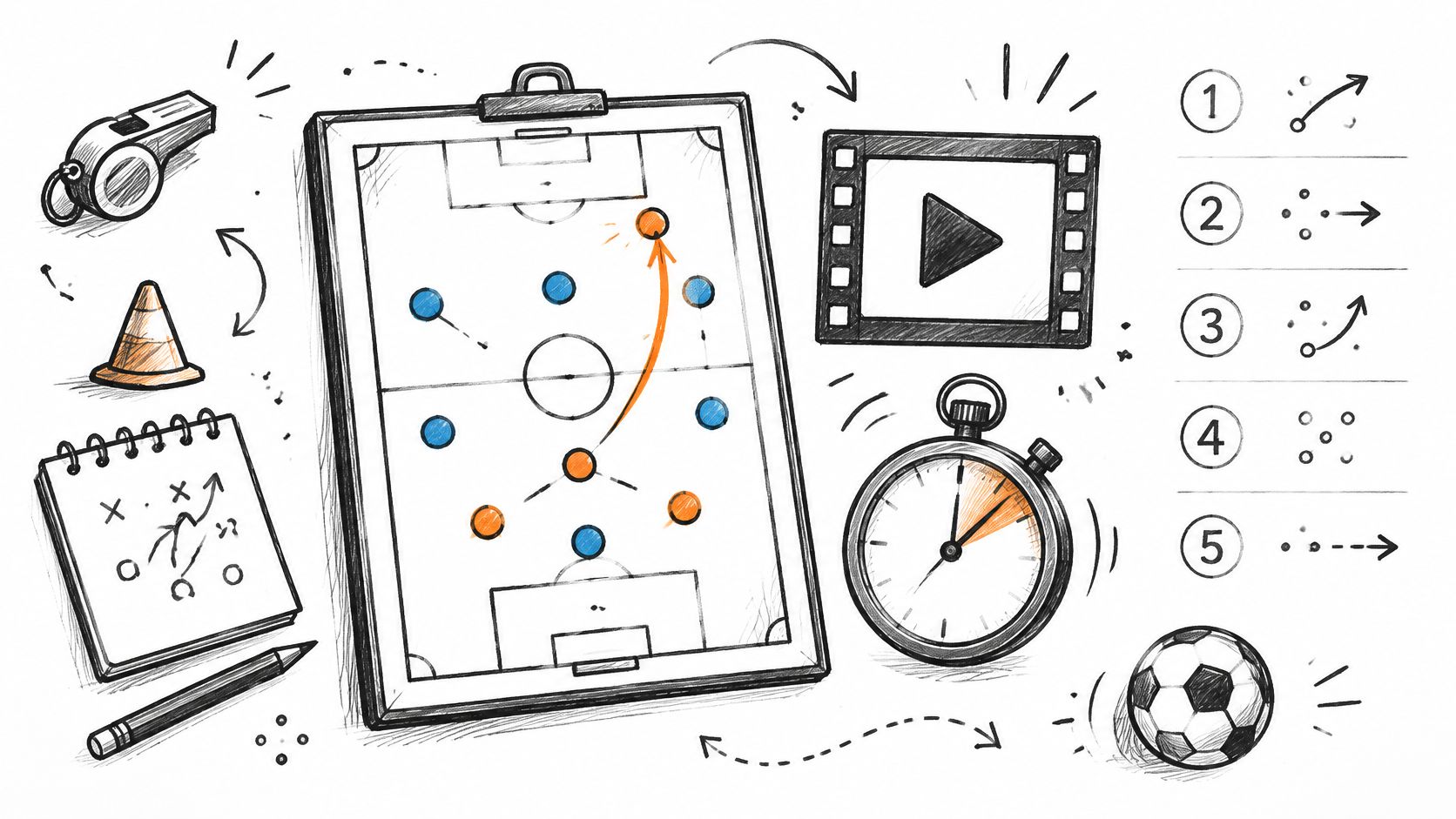
Four steps, each with a reason
Choose the starting shape. Pick from the free library (4-3-3, 4-2-3-1, 3-2-5, 4-4-2, 3-4-3, 5-4-1) or place players manually for either team. The reason is that a starting shape fixes the reference point. Every player can see where they stand before anything moves, and the movement that follows has something to move from.
Position the ball, then draw the one movement that matters. Add pass and run arrows for a single pattern, not five. Arrows carry the decision, and a board with one arrow makes one decision visible. A board with six makes none of them clear.
Add the coaching detail. Player numbers, team colours, a short label on the trigger and a coaching note stating the cue in one sentence. This is the step coaches skip, and it is the one that transfers to the pitch. "Number 6 scans before the ball arrives" is a cue. "Press" is a mood.
Export the PNG and send it before the session. Players who have seen the picture arrive ready to ask questions about it. Players who see it for the first time on the grass spend the first ten minutes decoding instead of practising.
The test a finished board has to pass
Hold the diagram to three rules: one clear trigger, no more than two or three simultaneous arrows, and a coaching note a player could repeat back to you in their own words.
If the board fails any of those, the problem is not the software. The problem is that the tactical idea is still too big for one picture, and the session needs a smaller first step.
Here is the one-week action. Open the free board in a desktop browser or on a tablet, with no installation, pick one pattern your squad is already working on, and build it in those four steps. Then show it to one player and ask them to say the cue back to you. Note where they hesitate. That hesitation tells you more than any feature list: it decides whether the pattern needs an animated phase to show the order of things, a progression in the session to rehearse it slowly, or a simpler picture altogether.
Showing Timing With Phases and Animation
A static diagram establishes the tactical idea. Animation is added only when timing, sequencing or a decision chain is the actual coaching point. Get that order wrong and the animation becomes decoration, which costs preparation time and teaches less than the still image it replaced.
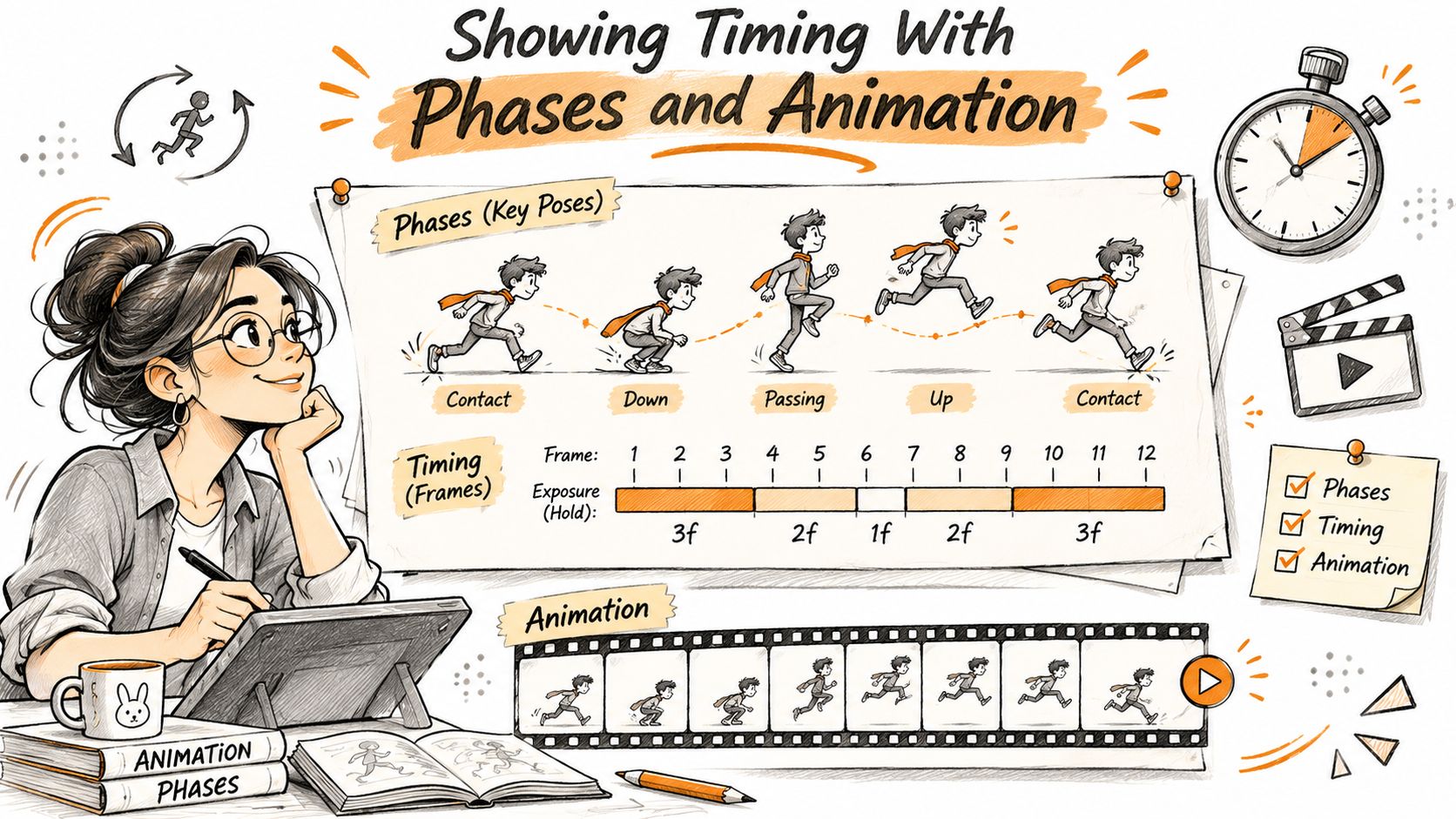
An integrative review of 34 scientific studies on video technology in football coaching found that the technology can support team-play development, increase player involvement and strengthen coaching strategies, while also flagging overreliance on technology, higher mental workload and the labour of manual video processing as real implementation risks. The review's suggested workflow is worth copying directly: define the objective, show the starting structure, isolate the trigger, animate the movement, then convert the sequence into a field practice.
A worked example, phase by phase
Take a hypothetical sequence, so the principle is easier to see than the specific pattern. A side loses the ball on the edge of the opposition box. The nearest midfielder steps to the ball to delay. The full-back on that side steps out to block the wide pass. The central defender on the far side shifts across to cover the space behind.
Shown as three phases, that becomes a sequence a player can follow:
Phase one is the starting shape, before the turnover, with everyone in their marked positions.
Phase two isolates the trigger, which is the moment possession is lost and the nearest midfielder commits to the ball.
Phase three shows the cover movement, with the full-back and central defender adjusting at the same time as the press.
Frames interpolate player movement automatically, so the coach sets the key positions and the board fills the movement between them. Animated phases, playback and video export sit inside membership, alongside interactive sharing and editable project files. For a closer look at how different movement types behave once a sequence starts moving, the guide to animation and movement types covers the drawing side in more detail.
The warning attached to all of this is mental load. Every extra arrow, colour and phase is another thing a player has to decode before they can act. Keep simultaneous arrows low, reuse the same colour for the same role across every phase, and delete anything that does not change a decision.
A phase earns its place when a player would get the order wrong without it. If they wouldn't, a still frame does the job faster.
Turning the Diagram Into a Session Plan
A session moves from a simplified problem to a game-like one, and the diagram should move with it. UEFA's coaching framework sets that out in three stages: isolation, integration and implementation. Isolation simplifies the action, integration connects it to a team problem, and implementation puts players in a game-like practice where they must recognise and solve the situation under realistic pressure.
Stage | Practice setup (example) | What the board should show |
|---|---|---|
Isolation | 8v8 on a three-quarter-length pitch, no central defenders, pressing triggered by the pass to the wing | Trigger pass, pressing movement and cover positions |
Integration | Central defenders restored, counter-attack allowed once the ball is won | Cover lines and transition runs added to the same picture |
Implementation | 9v9 in a 4-3-2 structure with a neutral central midfielder, three small goals, two or three touches | The decision point: circulate patiently or accelerate when an attacking opportunity appears |
For the isolation stage, a UEFA pressing practice gives the setup directly: 8v8 on a three-quarter-length pitch, one team attacking a goalkeeper's goal, no central defenders because the exercise targets one pressing principle. The trigger is the opponent's pass towards the wing or midfield, and the nearest midfielders press tightly so the receiver is put under immediate pressure. On the board, that is three marks: the pass, the press, and the cover behind it.
Adapt it down for younger or less experienced groups by keeping the same shape and reducing the cues. One instruction, "nearest player goes", teaches the trigger without asking a twelve-year-old to coordinate a second presser. Progress by restoring the central defenders and allowing a counter-attack once the ball is won. That is the integration stage, and the board changes by addition rather than by replacement: the same picture gains cover lines and transition runs.
The implementation stage needs a genuine decision, not a drill with a winner. A UEFA technical practice uses 9v9 in a 4-3-2 structure plus one central midfielder who always belongs to the team in possession. Teams keep the ball and attack three small goals, but cannot score from more than five metres away, with a maximum of two or three touches. The coaching points named in the practice are fast, accurate passing, communication, variation between long and short passes, and coordinated patterns between defenders, wingers and forwards. Adapt it by swapping the small goals for full goals and goalkeepers, or by applying offside only in the final 16 metres.
The pressure rule diagrams leave out
Changing the diagram is not enough unless the coach also states who applies pressure, when the pressure begins and how demanding the practice should be. UEFA's A-Diploma syllabus treats opponents, pressure and intensity as explicit design variables, and asks coaches to plan, deliver and review sessions while adapting the work to each player's level and development stage.
So the same build-up shape gets coached three ways: passive pressure first, an active pressing opponent second, and a conditioned game last, where the opposition's intensity and transition threat resemble the match problem. None of those three requires a new diagram. They require a decision about the practice that sits underneath it. When you write the plan up, building a football training session plan walks through how the written session and the picture fit together.
Sharing Boards Without Exposing Players
A tactics diagram feels harmless. It is lines and dots on green. That assumption holds right up until someone adds a name, a note about a hamstring, or a comment about a player's concentration, and then the file is no longer a diagram. It is a record about a child.
Exporting a PNG stays free and suits the pre-session message to the group. Membership adds editable export and import files for carrying a board between devices, plus interactive sharing and embedding. The embed code is pasted into a Custom HTML card in a Ghost article and shows the selected phase as a pitch-only interactive lineup, so readers can move players and reset positions without altering the original. Check the live site for the current embed method and exactly what it displays before recommending it to anyone.
When a diagram becomes personal data
Football-software guidance on tracking player development identifies youth development data, medical information, emergency contacts, consent records and performance evaluations as sensitive information, requiring role-based access, documented permissions and careful anonymisation when a player leaves a club. Applied to a tactics board, that means the difference between an anonymous pattern and a player-specific coaching record matters more than the software's feature list.
Anonymous diagrams, built with shirt numbers and generic roles, carry almost no risk. A diagram with initials, an injury note and a behavioural instruction carries plenty. European clubs also face GDPR obligations, which sit on top of the safeguarding duty to minors rather than replacing it.
Rule of thumb: if a parent would be uncomfortable seeing the file on a public website, it does not belong in a share link.
A sharing checklist
Strip player-specific notes before exporting anything that leaves the coaching staff.
Decide who receives each link and when it should stop working, rather than sending one link to everyone and hoping.
Check the exported PNG or embed for names, since a note added at the top of a board survives the export.
Keep editable files in controlled folders, ideally one per team and season, not scattered across downloads.
Confirm storage reality, because the workspace lives in the browser: local storage reduces central exposure, but it puts device security and backups on you.
That last point is the one coaches underestimate. A laptop left in a clubhouse, a shared tablet with no passcode, a browser cleared by accident before a cup final: all three are ordinary events, and all three are solved by exporting the editable file as a backup and keeping it somewhere deliberate.
Where Browser Tools Fall Short
A tool can add work rather than remove it. That is the finding coaches feel but rarely name. A 2025 qualitative study of NCAA Division I coaching staff identified 28 technologies in use across practice planning, testing, injury management, communication and athlete management, with usage varying sharply from six tools in one focus group to twenty-three in another. The same study found technology most valuable when aligned with coaching goals, which points at fit and usability rather than feature volume.
So the honest question before adding anything is not "what can this board do". It is "which part of my week does this replace, and what stays where it is". Video analysis stays in video analysis. Messages to parents stay in whatever the club already uses. Spreadsheets keep the minutes and the attendance. A good tactical workflow is narrow on purpose.
Three mistakes that waste the board
Animating before the static principle is taught. If players cannot describe the starting shape, the moving version gives them motion without meaning.
Filling one diagram with arrows and colours. Every extra mark raises the mental workload on the reader and buries the coaching point, which is the risk the phase-based workflow exists to control.
Treating the diagram as evidence. A board shows what you intended. It never shows what happened in the game, and it should never be filed as though it did.
There are practical limits to plan around as well. Membership gates the extended tools while the free core stays usable, nothing syncs in the background, so a board is only as current as the last export you sent, and a colleague cannot pick up your work mid-edit.
One last habit matters more than any feature. Before you publish, present or print a diagram, check it by hand: player numbers, positions and what each arrow claims to mean. A quickly drawn picture, or a generated image standing in for one, is not an accurate tactical record, and a diagram that mislabels a run teaches the wrong thing very efficiently.
If you want a starting point for the pattern your squad keeps getting wrong, open the free tactics board and build the still frame first.
TFA Tactics Board gives coaches a free browser-based board for formations, player positions, pass and run arrows, coaching notes and PNG export, with no software to install. The £9 membership adds animated phases, video export, small-sided pitches and editable files when a pattern needs to travel between devices or a staff. Open TFA Tactics Board and turn the instruction you keep repeating into a picture your players can see before training.